

Home: your checklist and today's chats
Home is the first screen after you log in. It greets you by name, lists the next things worth setting up, and shows where your day stands.
Home (the first icon on the rail, or the Click2Reply logo)
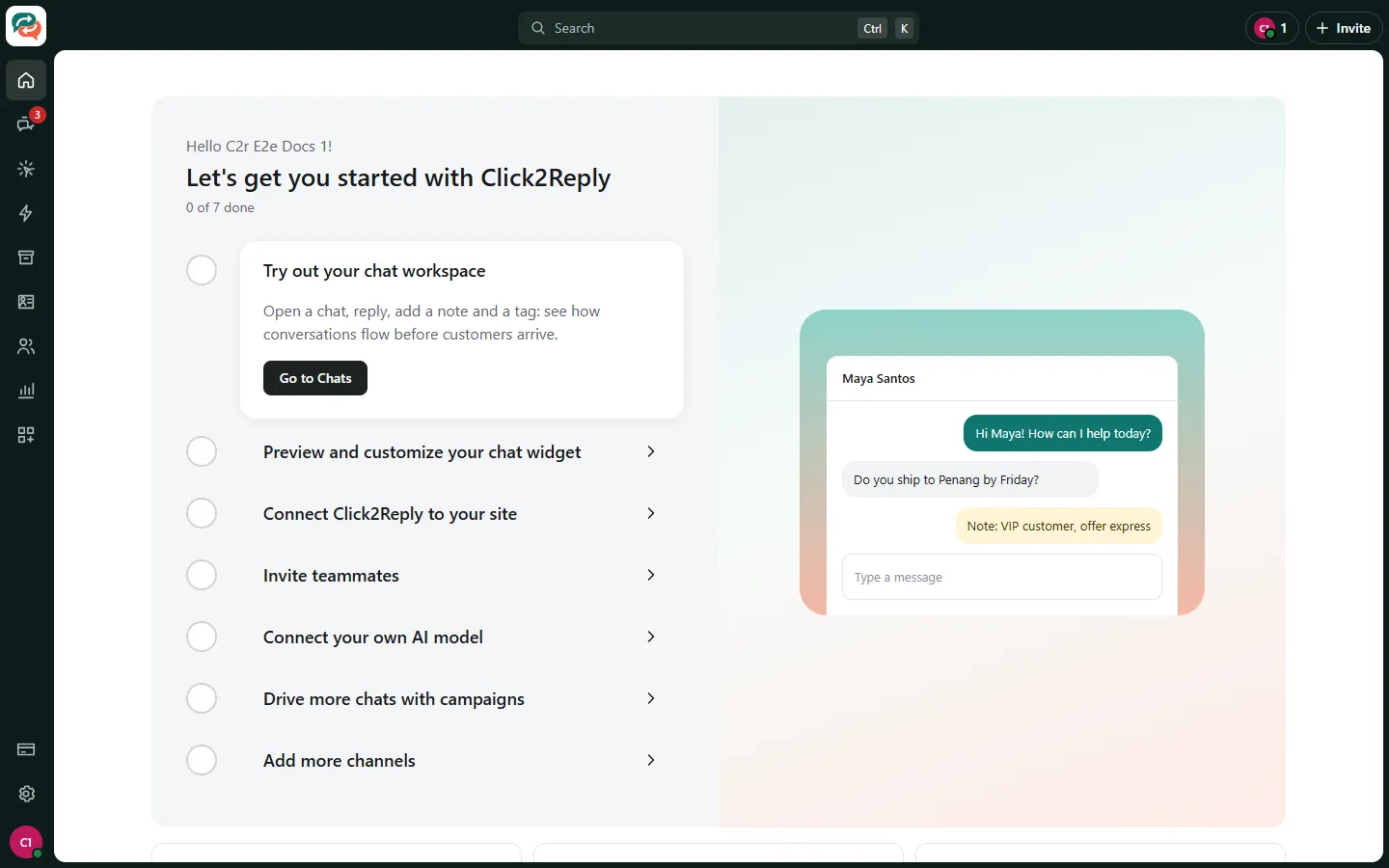
Work through the checklist
Section titled “Work through the checklist”The card on the left counts how many steps are done, for example “3 of 8 done”. The first step you have not done is open; click any step to open it instead.
| Step | Button | Takes you to |
|---|---|---|
| Try out your chat workspace | Go to Chats | Chats, to try replying, a note and a tag |
| Preview and customize your chat widget | Customize widget | Widget customization |
| Connect Click2Reply to your site | Get the code | Install the website widget |
| Invite teammates | Invite teammates | The invite dialog in Team |
| Connect your own AI model | Connect a model | The AI model settings page |
| Chat with Copilot, your AI assistant | Ask Copilot | Opens Copilot |
| Drive more chats with campaigns | Set up a campaign | Campaigns |
| Add more channels | Add next to WhatsApp Business, Messenger, Instagram or Telegram | Messaging apps |
Clicking a step’s button marks it done and opens the next open step (except Invite teammates, which ticks itself, see below). Some steps also have a button to mark them done without going anywhere: I installed it, Skip or Not now.
Two steps tick themselves:
- Invite teammates is done once 5 teammates are on the team or invited. The step shows how many are so far, for example “2/5 recommended teammates invited”.
- Connect your own AI model is done once a model is connected and Copilot is turned on. The Copilot step appears only then.
When every step is done, the heading says You are all set.
Today’s counters
Section titled “Today’s counters”Under the checklist, three tiles count your chats right now. Click any tile to open Chats. A custom role that cannot work on chats does not see them.
- My open chats: chats assigned to you that are not archived.
- Waiting for an agent: chats in the queue, or waiting with nobody assigned.
- Unread chats: chats with unread messages.

The counters update live as chats come and go.
Related
Section titled “Related”- Set up your account: the wizard you saw after sign-up.
- Find your way around