

Ask for email when replies are delayed
When an agent cannot answer in time, the widget can ask the customer for an email address, so the reply still reaches them after they leave.
Settings -> Forms -> Ask for email
Changing these settings needs the permission to change settings (the Owner, Vice owner and Admin roles). They apply to the whole organization; this page has no per-group setup.
The widget does not ask a customer whose email it already has.
Ask when the agent does not respond
Section titled “Ask when the agent does not respond”- Under When the agent does not respond, tick the box in front of Ask for an email when the assigned agent has not answered for … minutes.
- Type the number of minutes, from 1 to 60.
- Click Save changes.
A number outside 1 to 60 shows Use 1 to 60 minutes. and cannot be saved.
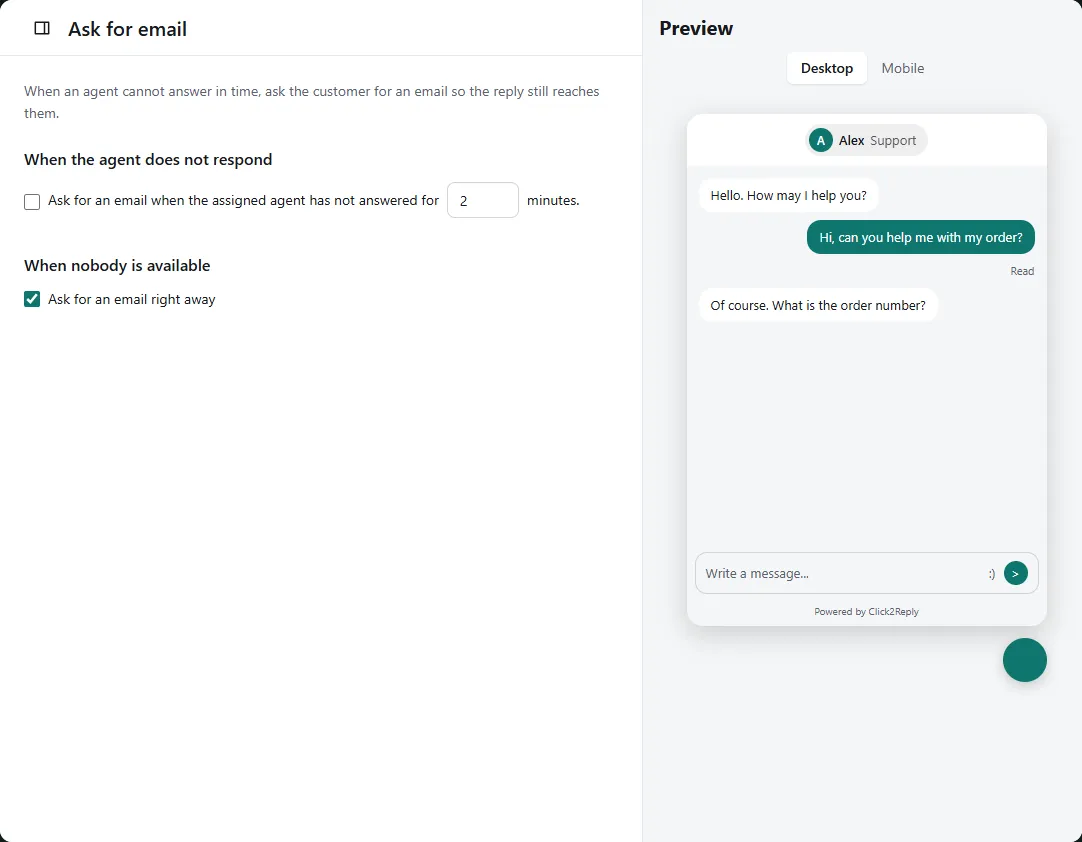
Ask when nobody is available
Section titled “Ask when nobody is available”- Under When nobody is available, tick Ask for an email right away.
- Click Save changes.
This is the same option as Ask away customers for their email on the Availability page; changing it on one page changes it on the other.