

Inactivity timeouts for quiet chats
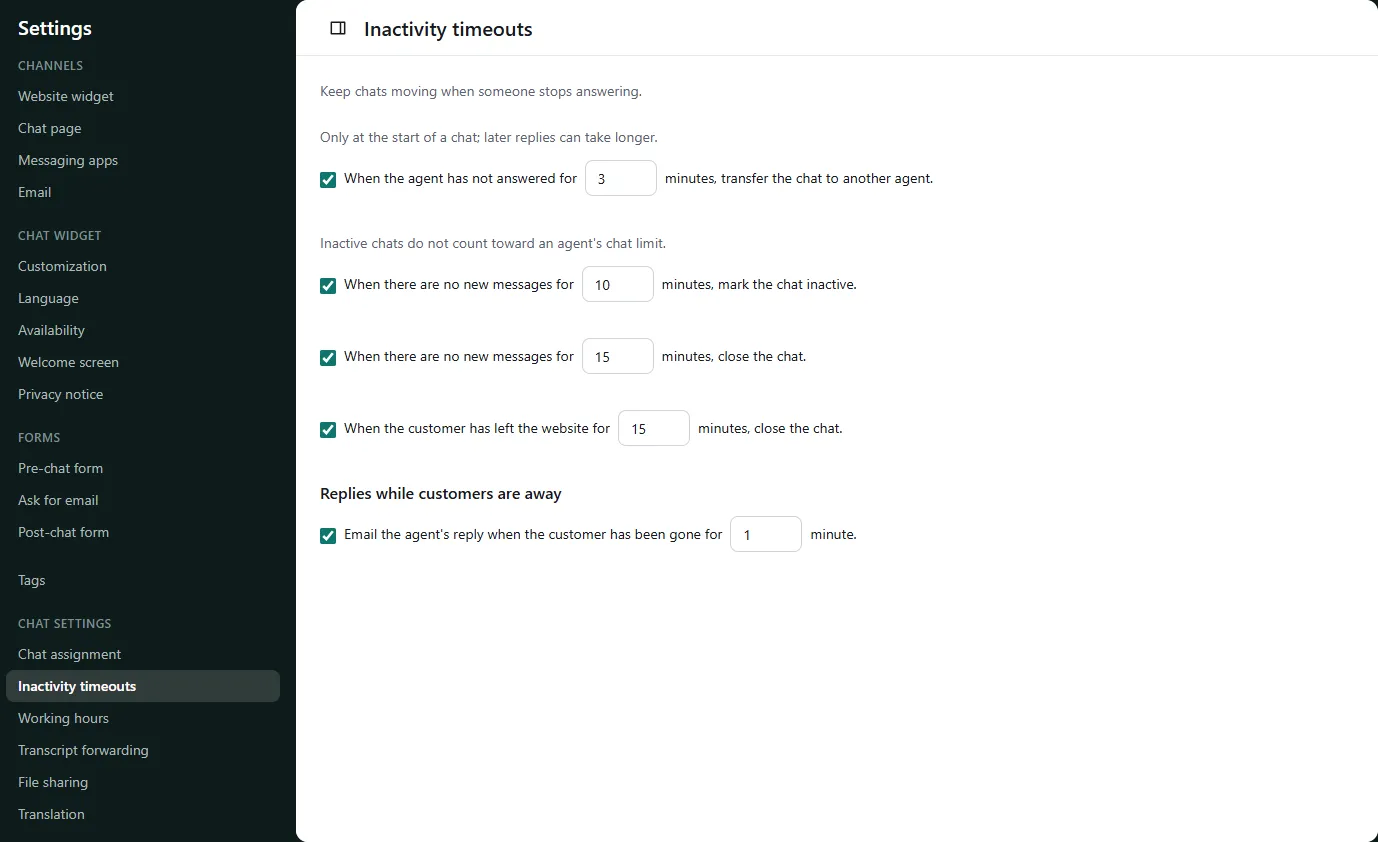
Inactivity timeouts keep chats moving when someone stops answering. Each rule is one sentence with a number of minutes you can change.
Settings -> Chat settings -> Inactivity timeouts
Owners, vice owners and admins can change this page. Agents can open it but see the settings read-only.
Turn a timeout on or off
Section titled “Turn a timeout on or off”- Tick the box in front of a rule to turn it on, or clear it to turn it off.
- Type the number of minutes in the rule’s box. Every rule takes a whole number from 1 to 60.
- Click Save changes. The button stays disabled while a turned-on rule is outside 1 to 60.
The rules are:
| Rule | Starts with | Note |
|---|---|---|
| When the agent has not answered for N minutes, transfer the chat to another agent. | On, 3 minutes | Only at the start of a chat; later replies can take longer. |
| When there are no new messages for N minutes, mark the chat inactive. | On, 10 minutes | Inactive chats do not count toward an agent’s chat limit. |
| When there are no new messages for N minutes, close the chat. | On, 15 minutes | |
| When the customer has left the website for N minutes, close the chat. | On, 15 minutes |
The note for a rule shows just above it on the page.
Email replies to customers who left
Section titled “Email replies to customers who left”Under Replies while customers are away, the rule Email the agent’s reply when the customer has been gone for N minutes sends an agent’s reply by email when the customer is no longer on your website. It starts on, at 1 minute.
- Tick or clear the rule.
- Set the minutes, from 1 to 60.
- Click Save changes.
The customer needs an email address on their chat for this to reach them. See Ask for email to collect one.
Use different timeouts for one group
Section titled “Use different timeouts for one group”When your organization has two or more groups, pick a group in Setup for at the top of the page, change the rules and click Save changes. Every group (default) is the organization-wide setting. Click Use the default again to drop a group’s own timeouts.