

Tags: create tags and require tagging
Tags group your chats. Agents put them on chats; you can then filter Archives by them and break Reports down by them. This page holds the list of tags agents can choose from.
Settings -> Tags
Creating and deleting tags needs the permission to manage tags, and the two tagging rules need the permission to change settings. The Owner, Vice owner and Admin roles have both.
Create a tag
Section titled “Create a tag”- Type the name in New tag name, up to 64 characters.
- Click Create tag, or press Enter.
The tag is added to the list at once and agents can use it right away. A name that is already a tag shows That tag already exists.
Delete a tag
Section titled “Delete a tag”- Click Delete in the tag’s row.
- Confirm with Delete.
Chats keep their history, but the tag is no longer offered to agents.
Remind or require agents to tag chats
Section titled “Remind or require agents to tag chats”- Tick Remind agents to tag a chat, Require a tag before a chat can be closed, or both.
- Click Save changes.
The tag list
Section titled “The tag list”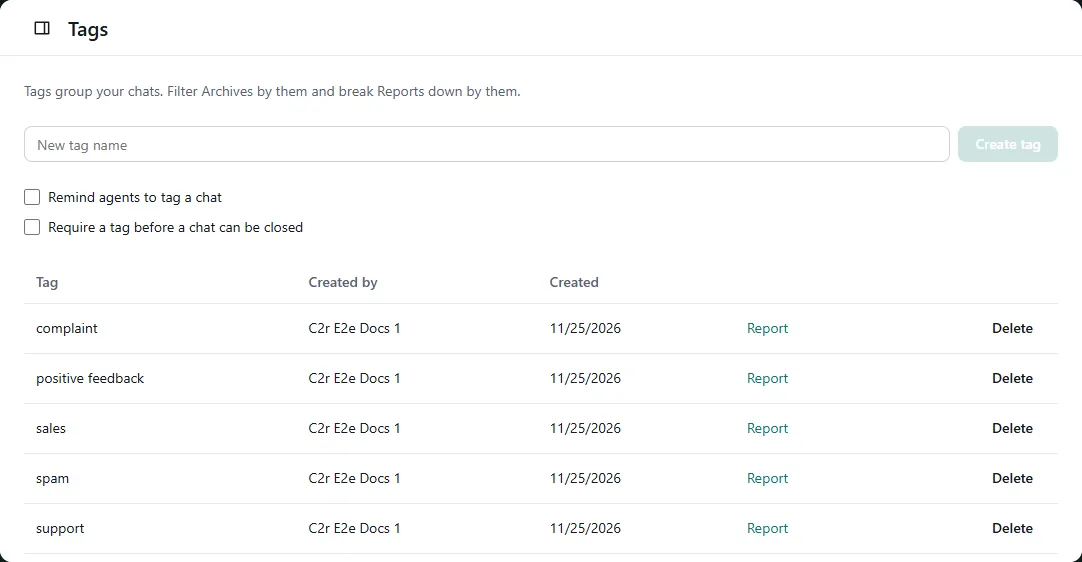
The table shows each Tag, who created it (Created by) and when (Created). Click Tag or Created to sort by that column. Click Report in a row to open the tag usage report for that tag.
Related
Section titled “Related”- Transfer, tickets and closing a chat - how agents tag a chat
- Archives
- Reports