

Company details, license and region
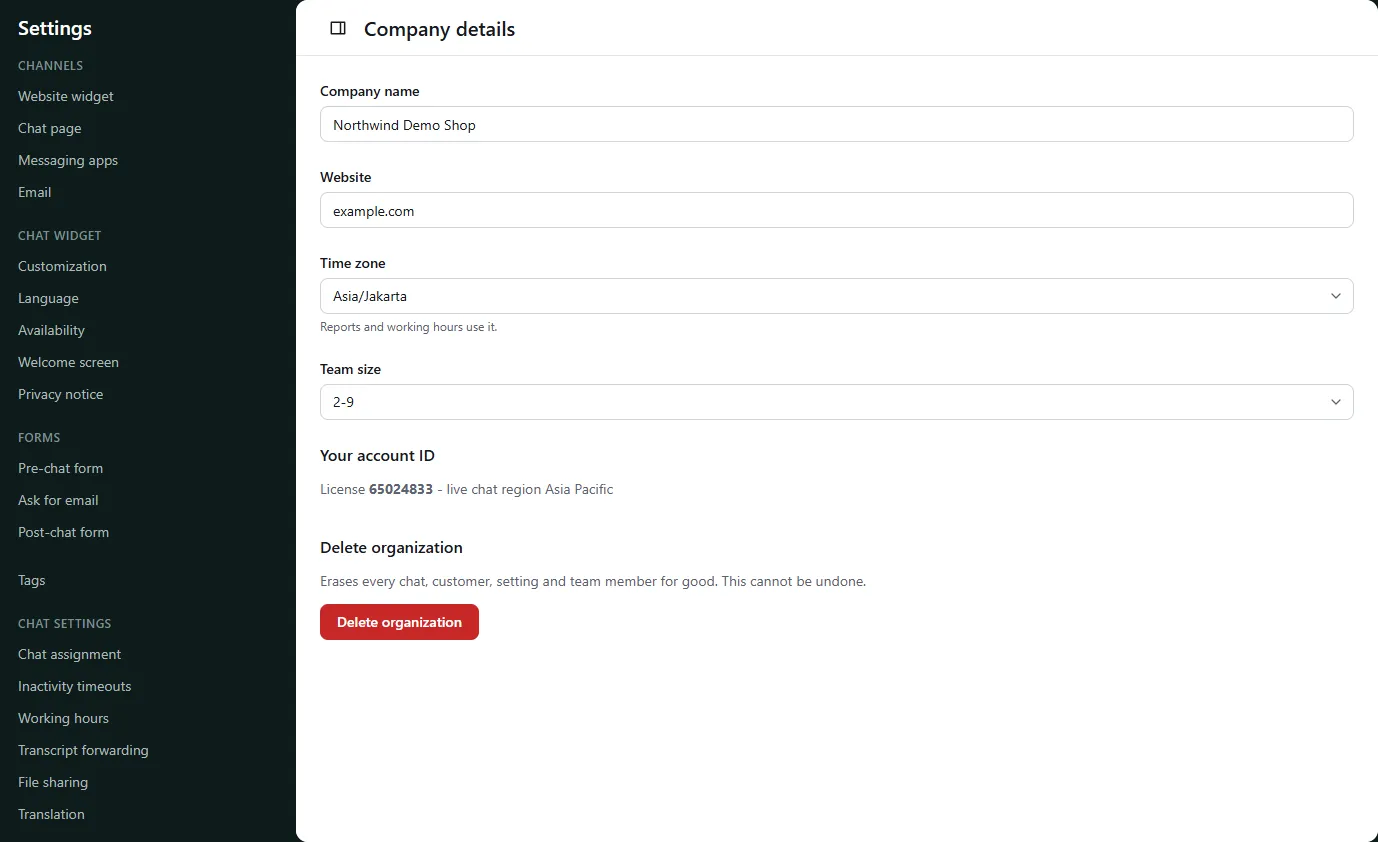
Company details hold your organization’s name, website, time zone and team size, and show the license number and region your account lives in. The owner can also delete the organization here.
Settings -> Company -> Company details, or Company details in your profile menu.
Owners, vice owners and admins can change these details. Only the owner sees Delete organization.
Change your company details
Section titled “Change your company details”- Edit any of:
- Company name - required.
- Website
- Time zone - the organization’s time zone, used by reports. Working hours have their own Time zone field.
- Team size - Not set, Just me, or a range of people.
- Click Save changes.
Find your license number and region
Section titled “Find your license number and region”Under Your account ID, the page shows your license number and the live chat region your chats run in: Asia Pacific, Europe or North America.
Delete the organization
Section titled “Delete the organization”Deleting the organization erases every chat, customer, setting and team member for good. This cannot be undone.
- Click Delete organization.
- In Type name to confirm, type the organization’s name exactly.
- Enter Your password.
- Click Delete everything.
You are signed out and taken to the log in page.
If the password is wrong, the dialog says That password is not right. If something could not be erased yet, it says Some data could not be erased yet. Your organization still works; try again.