

Widget customization: look and position
Decide how the chat widget looks and behaves on your website. The Preview next to the form shows your changes as you make them; switch it between Desktop and Mobile, and between Chat and Minimized.
Settings -> Chat widget -> Customization
Changing these settings needs the permission to change settings (the Owner, Vice owner and Admin roles). With two or more groups, pick one under Setup for to style that group’s widget differently (see Settings).
The page has four sections; click a section’s title to open it. When you are done, click Save changes. Customers see the new look the next time the widget loads.
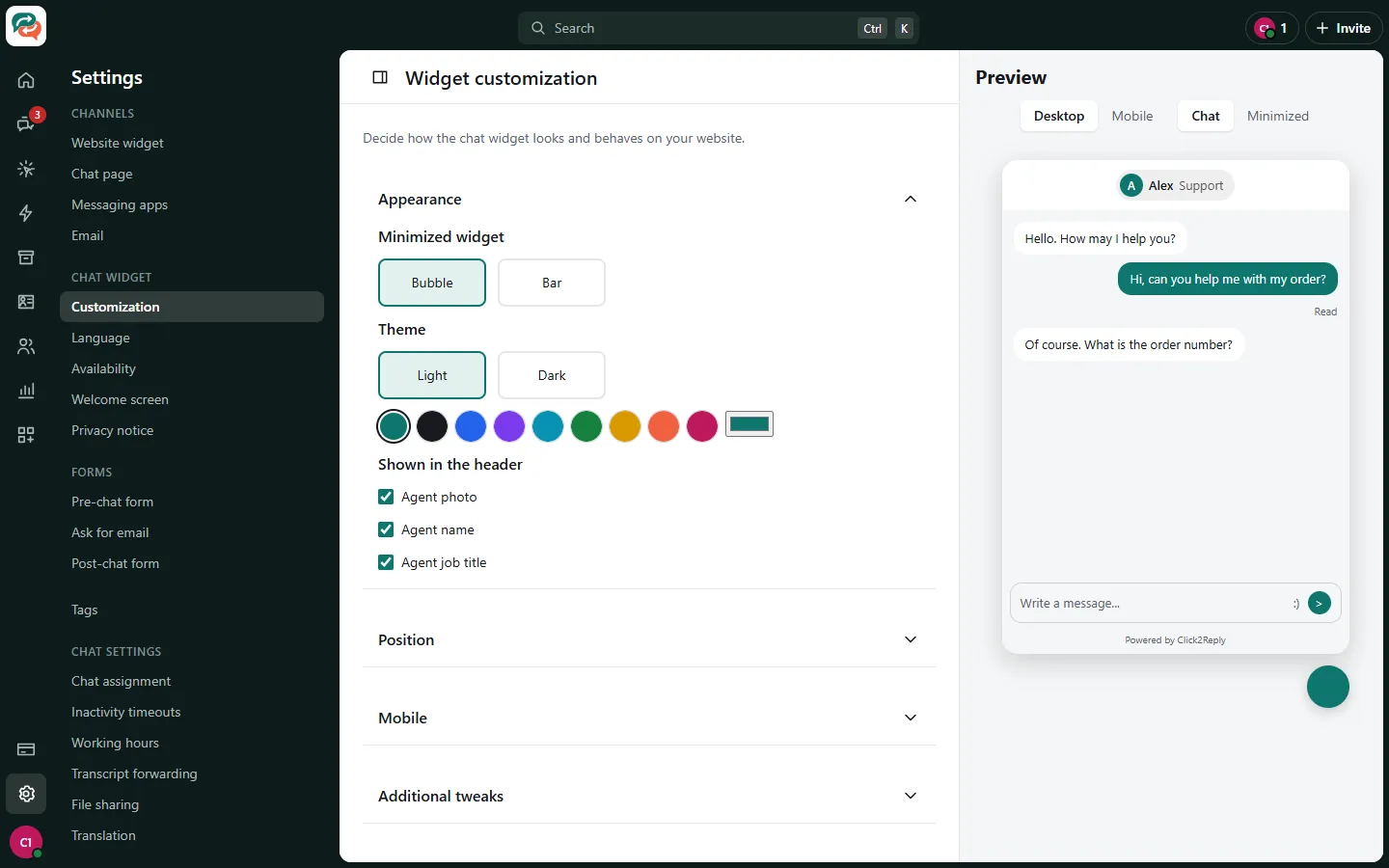
Appearance
Section titled “Appearance”- Minimized widget: how the closed widget looks, a round Bubble or a Bar.
- Theme: Light or Dark.
- Theme color: pick a swatch, or Custom color for any color. It colors the chat button, the main buttons and the customer’s own messages.
- Shown in the header: tick what customers see about the agent: Agent photo, Agent name and Agent job title.
Position
Section titled “Position”- Alignment: Right or Left corner of the page.
- Side spacing (px) and Bottom spacing (px): the distance from the page edge, 0 to 400 pixels.
- Visibility:
- Always show the launcher - the chat button is always on the page.
- Hide until a greeting or the JS API opens it - nothing shows until a campaign greeting or your own code opens the chat.
- Never show the launcher (open from your own button) - open the chat from a button on your site with the Widget API.
Mobile
Section titled “Mobile”- Show the widget on phones: switch it off to hide the widget on phones.
- Same as desktop: phones use the desktop launcher, alignment and spacing.
- Customize for phones: pick a Bubble or Bar, the Alignment and the spacing for phones only.
Additional tweaks
Section titled “Additional tweaks”Tick or untick:
- Sounds for new messages
- Let customers rate the chat
- Let customers get the transcript
- Emoji picker
- Message reactions
- Screenshot button
- Message box while minimized
- Link previews
- Customers see their earlier chats
- Hide “Powered by”